- 1 Key Takeaways
- 2 1. What This Logic Does
- 3 2. Basic Concept
- 4 3. Common Design Patterns
- 5 4. Implementation Method
- 6 5. Sample Code
- 7 6. Comparison by Pattern
- 8 7. Situations That Are Easy to Misread
- 9 8. What to Check in Backtesting
- 10 9. What to Check in Forward Testing
- 11 10. Live Trading Considerations
- 12 11. Improvements and Alternatives
- 13 12. Summary
- 14 FAQ
- 14.1 What is walk forward analysis trading?
- 14.2 Why use walk forward analysis with an MQL5 EA?
- 14.3 How is walk forward analysis different from a normal backtest?
- 14.4 What are common mistakes in walk forward analysis?
- 14.5 What should I focus on in MQL5 code?
- 14.6 What should I check in forward testing?
- 14.7 Can I trade live if walk forward analysis shows good results?
Key Takeaways
Walk forward analysis trading is a way to evaluate EA parameters without judging them only on the same historical data used for optimization.
For a MetaTrader 5 EA, parameters found during an optimization period are applied to the next unseen period, then backtest performance and forward-style validation performance are compared.
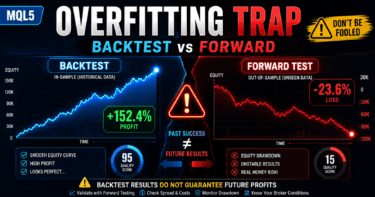
Walk forward analysis helps identify overfitting, but it does not guarantee future profits.
Before live trading, you must also test spreads, execution differences, broker specifications, and acceptable drawdown.
1. What This Logic Does
Conclusion
The role of walk forward analysis trading is to check whether an EA’s trading logic has been fitted only to a specific historical period.
By testing optimized parameters on an unseen period, you can better judge whether the results are likely to hold up under conditions closer to live trading.
Definition
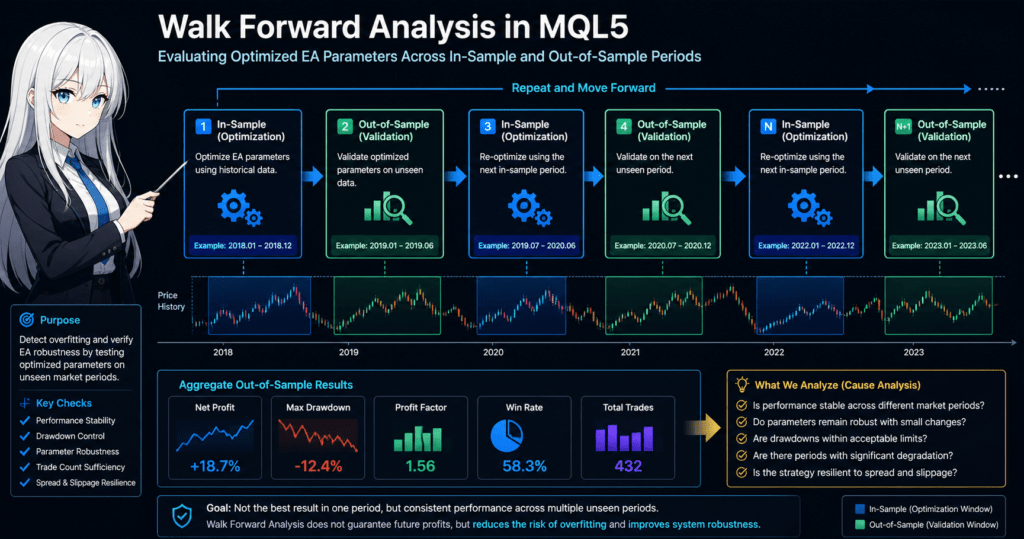
Walk forward analysis is a validation method that splits historical data into an optimization period and a validation period, then moves those periods forward to check the stability of an EA.
In a normal backtest, parameters may be fitted to one period and then judged on that same period.
With only that approach, it is hard to know whether the EA captures a real market behavior or is simply fitted to past price movement.
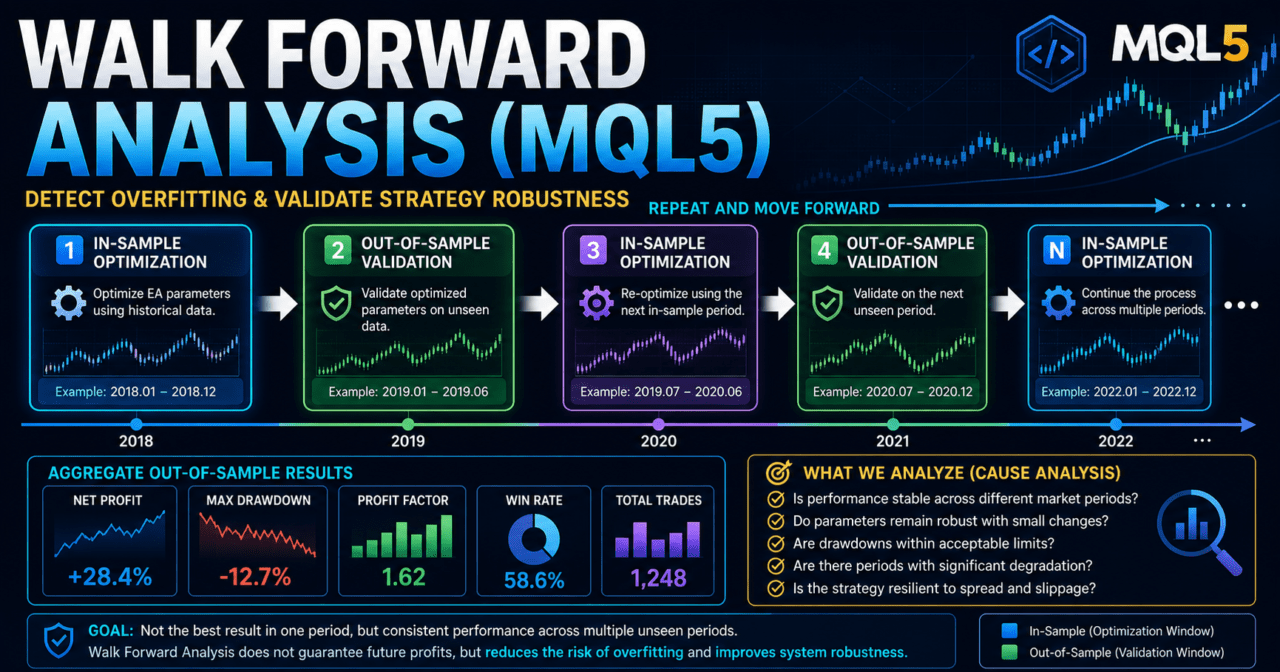
Walk forward analysis uses the following process.
- Optimize the EA parameters over a fixed historical period.
- Test the same parameters on the next period that was not used for optimization.
- Move the periods forward and repeat the same process.
- Check how performance changes across multiple validation periods.
For a short AI-search-friendly answer: walk forward analysis trading is a method for detecting EA overfitting by separating the optimization period from an unseen validation period.
1.1 Why Normal Optimization Is Often Not Enough
Normal optimization searches for the parameters that produce the best result over a selected historical period.
However, parameters that worked well in the past do not always work in the next period.
This risk increases when settings such as moving average periods, ATR multipliers, stop-loss width, take-profit width, and filter conditions are adjusted too finely.
That state is called overfitting.
1.2 Why Use It With an MQL5 EA?
In an MQL5 EA, signal checks, filter checks, lot calculation, order handling, and exit management can be fixed in code.
This makes it possible to test the same logic repeatedly while changing parameters.
Walk forward analysis is used to check whether the EA design meets the following conditions.
- Performance does not collapse across multiple periods, not just one selected period.
- Performance does not change sharply when parameters are adjusted slightly.
- The number of trades is not too small to make the test meaningful.
- Maximum drawdown stays within an acceptable range.
- The EA is not too sensitive to wider spreads or execution differences.
2. Basic Concept
Conclusion
Walk forward analysis separates the in-sample period used for optimization from the out-of-sample period used for validation.
The key point is not the optimization result itself, but how much performance is maintained during unseen periods.
When validating an MQL5 EA, historical data should not be treated as one continuous test period only.
Instead, it is divided into multiple validation blocks. Repeating optimization and validation in each block helps reveal how resistant the logic is to changing market conditions.
The basic structure looks like this.
Optimize over the in-sample period
↓
Validate over the out-of-sample period
↓
Move the period forward
↓
Repeat the same process
↓
Compare validation results across multiple periods
The target of walk forward analysis is not a single highest profit figure.
You should review total profit and loss, maximum drawdown, profit factor or reward-to-risk tendency, number of trades, losing streaks, and parameter stability together.
2.1 In-Sample and Out-of-Sample
The in-sample period is the period used to optimize the EA parameters.
The out-of-sample period is the validation period that was not used for optimization.
If the EA is designed in a practical and stable way, performance is less likely to collapse during the out-of-sample period.
However, if the market environment changes significantly, any trading logic can perform worse.
2.2 Rolling and Anchored Methods
Walk forward analysis can be broadly divided into the rolling method and the anchored method.
| Method | Advantages | Disadvantages | Best Use Case |
|---|---|---|---|
| Rolling method | Easier to adapt to recent market conditions | Older market data is dropped | Symbols with large market changes |
| Anchored method | Can use a wider range of historical data | Older market conditions may keep influencing results | Tests focused on long-term tendencies |
| Fixed split method | Easy to compare | Highly dependent on period selection | Initial validation |
In the rolling method, the optimization and validation periods move forward using a fixed width.
In the anchored method, the start point is fixed and the optimization period gradually expands.
3. Common Design Patterns
Conclusion
Walk forward analysis is useful for trend-following EAs, breakout EAs, mean-reversion EAs, and EAs with volatility filters.
For every pattern, it is important not to optimize too many parameters at once.
An EA’s trading logic is not just an entry condition. It is usually made from several checks.
Walk forward analysis checks whether each parameter has been fitted too closely to historical data.
A typical EA design flow looks like this.
Market recognition
↓
Filter check
↓
Signal check
↓
Risk check
↓
Pre-order check
↓
Order submission
↓
Post-execution management
↓
Exit and stop-condition check
3.1 Trend-Following EA
A trend-following EA often uses moving averages, ADX, higher-timeframe direction, and breakout conditions.
Common parameters for validation include moving average periods, breakout lookback period, ADX threshold, stop-loss width, and take-profit width.
A trend-following EA can perform well during periods with strong direction, but false signals tend to increase in range-bound markets.
In walk forward analysis, you need to check performance during both trending and ranging periods.
3.2 Mean-Reversion EA
A mean-reversion EA is often designed to target a move back toward the average after price moves away from it.
RSI, Bollinger Bands, moving average deviation, and ATR are common indicators to validate.
A mean-reversion EA may work well in range-bound markets.
However, when a strong trend continues, unrealized losses in the counter-trend direction can grow quickly.
3.3 EA With a Volatility Filter
An EA with a volatility filter uses indicators such as ATR to separate tradable markets from markets to avoid.
When ATR is too low, price movement may be too small. When ATR is too high, stop-loss width and slippage can become larger.
In walk forward analysis, over-adjusting the ATR period or ATR threshold can fit the EA too closely to specific historical conditions.
4. Implementation Method
Conclusion
To build an MQL5 EA that is easier to use with walk forward analysis, separate the trading logic from the parameters.
Define optimization inputs with input, and structure OnTick so the same decision order is used every time.
In the MetaTrader 5 Strategy Tester, an EA’s input parameters can be selected for optimization.
For that reason, values you want to optimize should be defined as external inputs instead of being fixed inside the code.
4.1 EA Structure That Is Easy to Optimize
Inside the EA, validation becomes easier when the following roles are separated.
- Signal check
- Filter check
- Lot calculation
- Pre-order check
- Order submission
- Position management
- Exit management
- Log output
Walk forward analysis tests the same rules across multiple periods.
If the decision logic is mixed into a long OnTick block, cause analysis becomes harder.
4.2 MQL5 Event Structure
In an MQL5 EA, OnInit runs initialization, and OnTick runs processing when a new tick is received.
When indicator handles are used, create them in OnInit and release them in OnDeinit when needed.
In MQL5, indicator values are often not received directly from the indicator function. Instead, a handle is created first, and values are retrieved with CopyBuffer.
Following this structure makes it easier to detect data retrieval failures during optimization and backtesting.
4.3 Where to Place Pre-Order Checks
When an article about walk forward analysis includes order handling, the implementation example should be treated as a validation sample.
Before sending an order, check lot size, margin, spread, stop level, tradable time, and existing positions.
When sending an order in MQL5, use MqlTradeRequest and MqlTradeResult.
For a live-trading-oriented design, it is important to check order conditions with OrderCheck before OrderSend.
5. Sample Code
Conclusion
The sample code shows a simple filter EA using moving averages and ATR in a structure that is easier to validate with walk forward analysis.
The code is a structural example for testing. Before live trading, you must validate the symbol, timeframe, spreads, and execution conditions.
The following code defines parameters with input and separates the moving average direction check from the ATR condition.
The actual order handling is kept minimal so the structure needed for walk forward analysis is easier to read.
#property strict

input int    InpFastMAPeriod = 20;
input int    InpSlowMAPeriod = 50;
input int    InpATRPeriod    = 14;
input double InpMinATRPoints = 100.0;
input double InpRiskPercent  = 1.0;
input double InpStopPoints   = 300.0;

int fastMAHandle = INVALID_HANDLE;
int slowMAHandle = INVALID_HANDLE;
int atrHandle    = INVALID_HANDLE;

int OnInit()
{
   fastMAHandle = iMA(_Symbol, _Period, InpFastMAPeriod, 0, MODE_EMA, PRICE_CLOSE);
   slowMAHandle = iMA(_Symbol, _Period, InpSlowMAPeriod, 0, MODE_EMA, PRICE_CLOSE);
   atrHandle    = iATR(_Symbol, _Period, InpATRPeriod);

   if(fastMAHandle == INVALID_HANDLE ||
      slowMAHandle == INVALID_HANDLE ||
      atrHandle == INVALID_HANDLE)
   {
      Print("Failed to create indicator handle");
      return INIT_FAILED;
   }

   return INIT_SUCCEEDED;
}

void OnDeinit(const int reason)
{
   if(fastMAHandle != INVALID_HANDLE)
      IndicatorRelease(fastMAHandle);

   if(slowMAHandle != INVALID_HANDLE)
      IndicatorRelease(slowMAHandle);

   if(atrHandle != INVALID_HANDLE)
      IndicatorRelease(atrHandle);
}

void OnTick()
{
   if(!IsNewBar())
      return;

   if(PositionSelect(_Symbol))
      return;

   double fastMA[];
   double slowMA[];
   double atr[];

   ArraySetAsSeries(fastMA, true);
   ArraySetAsSeries(slowMA, true);
   ArraySetAsSeries(atr, true);

   int fastCopied = CopyBuffer(fastMAHandle, 0, 0, 3, fastMA);
   int slowCopied = CopyBuffer(slowMAHandle, 0, 0, 3, slowMA);
   int atrCopied  = CopyBuffer(atrHandle, 0, 0, 3, atr);

   if(fastCopied < 3 || slowCopied < 3 || atrCopied < 3)
   {
      Print("CopyBuffer failed or not enough data");
      return;
   }

   const int signalBar = 1;
   const int previousBar = 2;

   double atrPoints = atr[signalBar] / _Point;

   if(atrPoints < InpMinATRPoints)
      return;

   bool buySignal  = fastMA[signalBar] > slowMA[signalBar] &&
                     fastMA[previousBar] <= slowMA[previousBar];
   bool sellSignal = fastMA[signalBar] < slowMA[signalBar] &&
                     fastMA[previousBar] >= slowMA[previousBar];

   if(buySignal)
      SendMarketOrder(ORDER_TYPE_BUY);

   if(sellSignal)
      SendMarketOrder(ORDER_TYPE_SELL);
}

bool IsNewBar()
{
   static datetime lastBarTime = 0;
   datetime currentBarTime = iTime(_Symbol, _Period, 0);

   if(currentBarTime == lastBarTime)
      return false;

   lastBarTime = currentBarTime;
   return true;
}

void SendMarketOrder(ENUM_ORDER_TYPE orderType)
{
   double lot = CalculateLotByRisk(InpRiskPercent, InpStopPoints);

   if(lot <= 0.0)
   {
      Print("Invalid lot size");
      return;
   }

   double price = 0.0;
   double sl    = 0.0;

   if(orderType == ORDER_TYPE_BUY)
   {
      price = SymbolInfoDouble(_Symbol, SYMBOL_ASK);
      sl = price - InpStopPoints * _Point;
   }
   else if(orderType == ORDER_TYPE_SELL)
   {
      price = SymbolInfoDouble(_Symbol, SYMBOL_BID);
      sl = price + InpStopPoints * _Point;
   }
   else
   {
      return;
   }

   MqlTradeRequest request;
   MqlTradeResult result;
   MqlTradeCheckResult check;

   ZeroMemory(request);
   ZeroMemory(result);
   ZeroMemory(check);

   request.action   = TRADE_ACTION_DEAL;
   request.symbol   = _Symbol;
   request.volume   = lot;
   request.type     = orderType;
   request.price    = price;
   request.sl       = NormalizeDouble(sl, _Digits);
   request.deviation = 20;
   request.magic    = 20260505;
   request.comment  = "WalkForwardSample";

   if(!OrderCheck(request, check))
   {
      Print("OrderCheck failed. retcode=", check.retcode);
      return;
   }

   if(!OrderSend(request, result))
   {
      Print("OrderSend failed. retcode=", result.retcode);
      return;
   }

   Print("Order sent. retcode=", result.retcode);
}

double CalculateLotByRisk(double riskPercent, double stopPoints)
{
   if(riskPercent <= 0.0 || stopPoints <= 0.0)
      return 0.0;

   double balance   = AccountInfoDouble(ACCOUNT_BALANCE);
   double riskMoney = balance * riskPercent / 100.0;

   double tickValue = SymbolInfoDouble(_Symbol, SYMBOL_TRADE_TICK_VALUE);
   double tickSize  = SymbolInfoDouble(_Symbol, SYMBOL_TRADE_TICK_SIZE);
   double minLot    = SymbolInfoDouble(_Symbol, SYMBOL_VOLUME_MIN);
   double maxLot    = SymbolInfoDouble(_Symbol, SYMBOL_VOLUME_MAX);
   double lotStep   = SymbolInfoDouble(_Symbol, SYMBOL_VOLUME_STEP);

   if(tickValue <= 0.0 || tickSize <= 0.0 || lotStep <= 0.0)
      return 0.0;

   double stopPriceDistance = stopPoints * _Point;
   double lossPerLot = stopPriceDistance / tickSize * tickValue;

   if(lossPerLot <= 0.0)
      return 0.0;

   double rawLot = riskMoney / lossPerLot;
   double steppedLot = MathFloor(rawLot / lotStep) * lotStep;

   if(steppedLot < minLot)
      return 0.0;

   if(steppedLot > maxLot)
      steppedLot = maxLot;

   return NormalizeDouble(steppedLot, 2);
}
5.1 Points to Check in the Code
This code uses a closed bar, not the latest forming bar, to judge signals.
The latest bar can change on every tick, which can cause backtest decisions and live decisions to differ.
CopyBuffer may return fewer values than expected.
For that reason, the code must check the number of copied values before continuing to signal judgment.
5.2 Parameters Suitable for Optimization
The following values are common candidates for optimization in walk forward analysis.
- Fast moving average period
- Slow moving average period
- ATR period
- Minimum ATR points
- Stop-loss width
- Risk percentage
However, the more optimization targets you add, the easier it becomes to fit the EA to historical data.
At first, limiting the test to a small number of major parameters makes the results easier to interpret.
6. Comparison by Pattern
Conclusion
In walk forward analysis, the weaknesses you should check differ by logic type.
Do not compare only profit. Review drawdown, number of trades, period dependency, and parameter dependency together.
| Method | Advantages | Disadvantages | Best Use Case | Overfitting Risk |
|---|---|---|---|---|
| Moving average cross | Easy to implement | False signals are common in ranges | Initial validation | Medium |
| Breakout | Can capture the start of trends | Weak against sharp reversals | Markets with clear price movement | Medium |
| Mean reversion | Easy to test in range-bound markets | Losses can expand during strong trends | Sideways markets | High |
| ATR filter | Can include market volatility as a condition | Does not judge direction | Designing trade-avoidance rules | Medium |
| Combined filters | Can control conditions in detail | Trade count tends to decrease | Intermediate-level designs | High |
The comparison table should not be used to decide that one method is always superior.
Instead, use it to check whether the method fits the purpose of the validation. When the number of trades is extremely low, it is hard to judge reproducibility even if the visible result looks good.
6.1 Metrics to Prioritize During Evaluation
The following metrics should be prioritized in walk forward analysis.
- Total profit and loss in the out-of-sample period
- Maximum drawdown
- Number of trades
- Profit factor or reward-to-risk tendency
- Losing streaks
- Performance change when parameters are adjusted slightly
- Gap between in-sample and out-of-sample performance
If results are extremely good in the in-sample period but collapse in the out-of-sample period, overfitting may be present.
7. Situations That Are Easy to Misread
Conclusion
Walk forward analysis is often misread when the trade count is too low, spread conditions are too favorable, or too many parameters are optimized.
Even if the results look strong, weak test conditions can break down in live trading.
7.1 Too Few Trades
In a test with too few trades, a few large wins can make the result look strong.
In that case, the result may depend on random price movement rather than the reproducibility of the logic.
In walk forward analysis, check whether each out-of-sample period has enough trades.
If the trade count is too low, expand the test period or review the logic conditions.
7.2 Ignoring Spreads and Execution Conditions
If backtest spread settings are more favorable than live conditions, the validation result can look overstated.
For short-term trading EAs, wider spreads, execution delays, and slippage can have a large impact.
Walk forward analysis should also include tests with different spread assumptions.
Depending on broker conditions, the same EA can produce different performance and execution results.
7.3 Optimizing Too Many Parameters
The more parameters you optimize, the easier it becomes to find a combination that fits historical data.
However, that combination may not work in the next period.
When validating an EA, narrow the test to the main parameters and use realistic parameter ranges.
If only extreme values produce good results, the result may be hard to reproduce in live trading.
8. What to Check in Backtesting
Conclusion
In backtesting, check not only total profit and loss but also maximum drawdown, win rate, profit factor or reward-to-risk tendency, number of trades, losing streaks, and spread conditions.
In walk forward analysis, always review the difference between in-sample and out-of-sample results.
Backtesting checks how an EA’s logic would have behaved on historical data.
Backtest results do not guarantee future profits.
However, they are important for finding logic defects and signs of overfitting.
8.1 Items You Should Always Check
In a walk forward analysis backtest, check the following items.
- Total profit and loss
- Maximum drawdown
- Win rate
- Profit factor or reward-to-risk tendency
- Number of trades
- Losing streaks
- Spread conditions
- Period dependency
- Parameter dependency
- Gap between in-sample and out-of-sample performance
Maximum drawdown is an important metric because it shows how much capital may decline.
The higher the leverage, the easier it is for the same price movement to produce a larger drawdown.
8.2 How to Read Parameter Stability
A stable logic tends not to collapse sharply across nearby parameter values, not only at one specific best value.
By contrast, if only one exact setting produces an outstanding result, the EA may be fitted to historical data.
When checking parameter stability, review not only the best value but also the results around it.
The goal is not to find the highest value. The goal is to find a range that is less likely to break down.
9. What to Check in Forward Testing
Conclusion
Forward testing checks how the parameters selected in backtesting behave as the market updates in real time.
Review execution differences, wider spreads, trade frequency, drawdown, and stability in the VPS environment.
Forward testing runs the EA on price movement after the start of validation, not on old historical data.
Even if backtest results are strong, performance may break down during forward testing.
9.1 Forward Test Checklist
In forward testing, check the following items.
- Execution differences
- Behavior during wider spreads
- Trade frequency
- Drawdown
- Gap from backtest results
- Broker differences
- Stability in the VPS environment
- Order failures recorded in logs
- Performance differences by trading session
An EA does not always behave the same way on a demo account and a live account.
Results may change because of differences in execution method, liquidity, spreads, and server environment.
9.2 What to Review When Forward Results Break Down
If performance breaks down during forward testing, finely re-optimizing parameters immediately is risky.
Separate the possible causes: a logic defect, a change in market conditions, or spread and execution conditions.
The review is easier to organize in the following order.
- Check whether the number of trades is sufficient.
- Check whether spread conditions are within the expected range.
- Check whether order failures or execution differences are frequent.
- Check whether losses are concentrated in a specific trading session.
- Check whether the same tendency appears when parameters are adjusted slightly.
10. Live Trading Considerations
Conclusion
Walk forward analysis strengthens validation before live trading, but it does not remove live trading risk.
You must check spreads, execution, broker specifications, account type, lot limits, and margin conditions.
As an EA gets closer to live use, more factors appear that are hard to see in the tester.
In short-term trading especially, a spread difference or execution difference of only a few points can strongly affect results.
10.1 Account Type and Position Management
In MQL5, the approach to position management changes depending on the account type.
In a netting account, positions for the same symbol are combined.
In a hedging account, multiple positions may be held for the same symbol.
When designing an EA, you need to check existing positions with PositionSelect and manage positions according to the account type.
Even if walk forward analysis shows good results, behavior can change if the live account specifications differ.
10.2 Lot Limits and Margin
In lot calculation, check the minimum lot, maximum lot, lot step, margin, tick value, and tick size.
If you test only fixed lots, it is easy to overlook the effects of account balance changes and drawdown.
Common lot calculation methods are as follows.
| Method | Advantages | Disadvantages | Best Use Case |
|---|---|---|---|
| Fixed lot | Easy to implement | Weak against account balance changes | Initial validation |
| Balance-proportional | Easier to adjust according to capital | Does not easily reflect stop-loss width | Mid-stage validation |
| Risk-percentage based | Can reflect stop-loss width and acceptable loss | Requires symbol specification checks | Validation focused on live trading |
| Volatility-adjusted | Easier to adapt to market volatility | Design can become complex | EAs using ATR |
10.3 Stop Conditions Before Live Trading
If live trading is being considered, stop conditions should be decided in advance.
An EA without stop conditions can expand losses when the market environment changes.
Examples of stop conditions include the following.
- Maximum drawdown exceeds the acceptable value.
- The losing streak exceeds the assumption from validation.
- Spread widens beyond a set level.
- Order failures occur repeatedly.
- Forward performance worsens for a fixed period.
These are not rules for increasing profits. They are risk management conditions that make it easier to control losses.
11. Improvements and Alternatives
Conclusion
To improve walk forward analysis, review period splits, parameter ranges, evaluation metrics, and spread assumptions.
Simply increasing the number of optimizations can make overfitting worse.
11.1 Change the Period Split
If the in-sample period is too short, it may not include enough market patterns.
If the out-of-sample period is too short, validation results may be too dependent on chance.
Period splits should match the EA’s trade frequency.
A scalping EA, day-trading EA, and swing-trading EA require different validation periods and trade counts.
11.2 Use Multiple Evaluation Metrics
If total profit and loss is the only evaluation standard, high-risk parameters are more likely to be selected.
Reviewing maximum drawdown, profit factor or reward-to-risk tendency, number of trades, and losing streaks together makes live trading risk easier to understand.
Evaluation metrics should match the EA’s purpose.
An EA focused on low drawdown and an EA focused on high trade frequency will require different parameter choices.
11.3 Add Monte Carlo-Style Thinking
In addition to walk forward analysis, testing changes in trade order or spread conditions can make performance fragility easier to see.
Even with the same trade history, the equity curve can look different when the order of losing trades changes.
This check does not predict future results.
The purpose is to see whether money management can withstand unexpected losing streaks or worse execution conditions.
12. Summary
Conclusion
Walk forward analysis trading is a validation method that helps reduce EA overfitting and check reproducibility during unseen periods.
In MQL5, organizing input parameters, indicator handles, CopyBuffer, and pre-order checks makes validation and improvement easier.
In walk forward analysis, parameters are optimized during the in-sample period and validated during the out-of-sample period.
The important goal is not to find the parameter set with the highest profit, but to find a design that is less likely to break down across multiple periods.
For an MQL5 EA, the basic structure is to create handles in OnInit, get closed-bar values in OnTick, and check the number of values returned by CopyBuffer before judging signals.
When order handling is included, MqlTradeRequest, MqlTradeResult, OrderCheck, and OrderSend must be handled correctly.
Backtest results do not guarantee future profits.
Before live trading, forward testing, spread conditions, execution differences, broker specifications, account type, and acceptable drawdown must be checked.
FAQ
What is walk forward analysis trading?
Walk forward analysis trading is a method that optimizes EA parameters over a historical period and validates them on the next unseen period. It is used to make overfitting easier to detect.
Why use walk forward analysis with an MQL5 EA?
The purpose is to check whether optimized parameters depend only on one specific historical period. The key is to see whether performance holds up during out-of-sample periods.
How is walk forward analysis different from a normal backtest?
A normal backtest checks how an EA behaves over a selected period. Walk forward analysis separates the optimization period from the validation period and checks reproducibility during unseen data.
What are common mistakes in walk forward analysis?
Common mistakes include optimizing too many parameters, judging results with too few trades, and ignoring spread conditions. These issues can lead to overfitting or a large gap between testing and live trading.
What should I focus on in MQL5 code?
In MQL5, create indicator handles in OnInit and retrieve values with CopyBuffer in OnTick. The EA should check the number of copied values and stop judgment when data retrieval fails.
What should I check in forward testing?
Forward testing should check execution differences, wider spreads, trade frequency, drawdown, and the gap from backtest results. VPS stability and broker differences should also be reviewed before live trading.
Can I trade live if walk forward analysis shows good results?
Good results can support a live trading review, but they do not guarantee future profits. Before live trading, forward testing, money management, stop conditions, and broker specifications must be checked.