- 1 Key Takeaways
- 2 1. What MT5 Strategy Tester Does
- 3 2. Basic Testing Concept
- 4 3. Common Testing Patterns
- 5 4. Implementation Method
- 6 5. Sample Code
- 7 6. Comparison by Testing Pattern
- 8 7. Common Causes of Incorrect Behavior
- 9 8. Items to Check in a Backtest
- 10 9. Items to Check in Forward Testing
- 11 10. Live Trading Precautions
- 12 11. Improvements and Alternatives
- 13 12. Summary
- 14 FAQ
- 14.1 What is MT5 Strategy Tester?
- 14.2 Can I run an EA live based only on Strategy Tester results?
- 14.3 Why is CopyBuffer needed in an MQL5 EA?
- 14.4 Which metrics matter most in a backtest?
- 14.5 How can I avoid over-optimization?
- 14.6 Why does an order fail in Strategy Tester?
- 14.7 Can test results differ between netting and hedging accounts?
- 14.8 What should I check in forward testing?
Key Takeaways
MT5 Strategy Tester is a feature for testing the trading logic of an EA created in MQL5 against historical data.
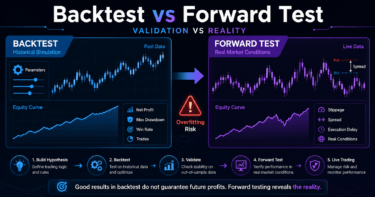
In a backtest, you should check not only total profit and loss, but also maximum drawdown, number of trades, risk-reward ratio, losing streaks, and spread conditions.
Strategy Tester results do not guarantee future profits.
Before live trading, you need to use forward testing to check execution differences, wider spreads, and differences in broker conditions.
For an MQL5 EA, separating OnInit, OnTick, and OnDeinit and structuring signal checks, risk checks, and pre-order checks makes testing easier.
1. What MT5 Strategy Tester Does
Conclusion
The role of MT5 Strategy Tester is to check how an EA’s trading conditions would have behaved on historical data.
The test target is not only profit. It also includes risk, trade frequency, drawdown, and parameter dependency.
MT5 Strategy Tester is a testing environment in MetaTrader 5 that applies an EA to historical data and shows the trading results.
An Expert Advisor created in MQL5 is processed in OnTick when ticks are updated.
For this reason, price updates, spreads, execution conditions, timeframes, and symbol specifications affect backtest results.
Definition
Backtesting is the process of testing an EA’s trading logic by using historical price data.
Backtest results are material for checking the tendency of the logic, not a guarantee of future performance.
1.1 What You Can Check in Strategy Tester
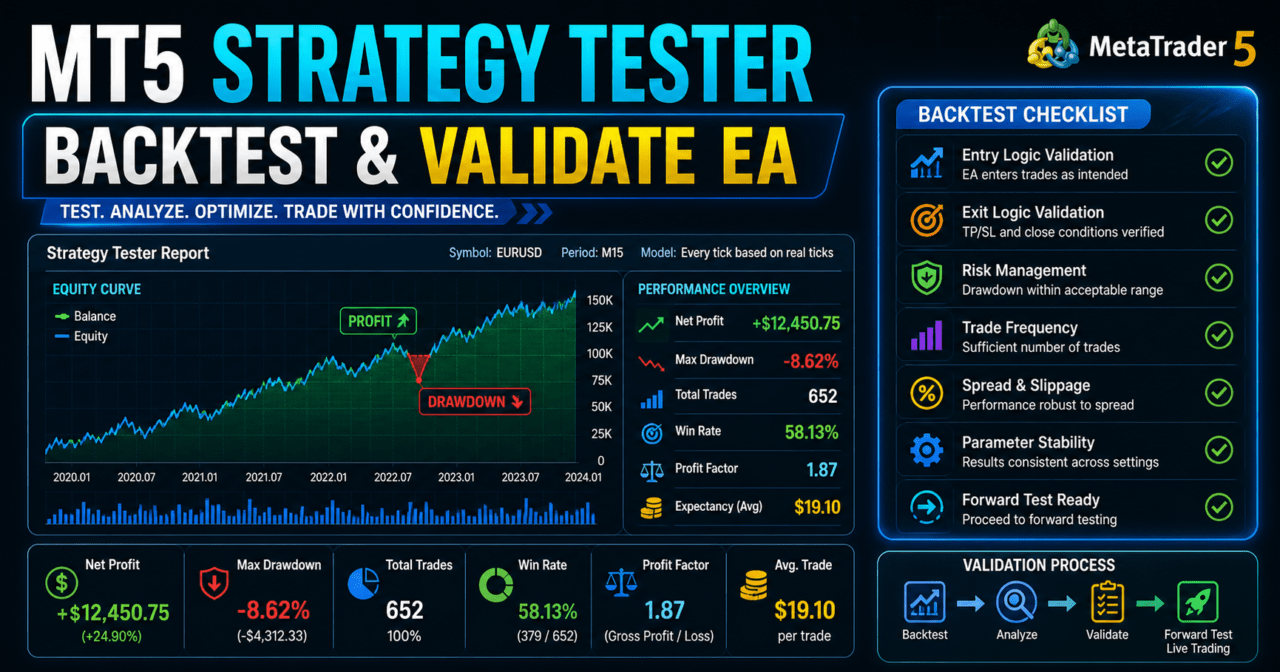
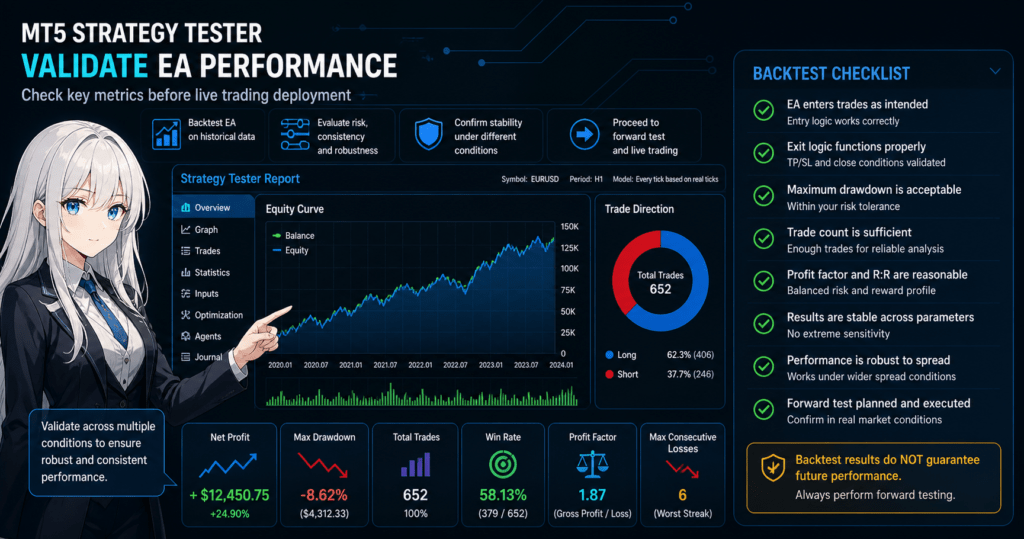
In Strategy Tester, you can check items such as the following.
- Whether the EA enters trades as expected
- Whether exit conditions work correctly
- Whether maximum drawdown stays within an acceptable range
- Whether the number of trades is too low
- Whether results change too sharply when parameters are changed
- Whether the EA is too sensitive to spread conditions
MT5 Strategy Tester is not the final judge of an EA’s quality.
It is a testing step used to find weaknesses in the EA and decide whether it is ready for forward testing.
2. Basic Testing Concept
Conclusion
When using Strategy Tester, test trading logic, filters, risk management, and order processing separately.
If you optimize everything at once, over-optimization becomes more likely.
When testing an EA, it is easier to find problems if you break the process down into the following flow.
Market analysis
↓
Filter check
↓
Signal check
↓
Risk check
↓
Pre-order check
↓
Order submission
↓
Post-execution management
↓
Exit and stop condition check
In an MQL5 EA, OnInit handles initialization, OnTick handles trading decisions, and OnDeinit handles cleanup.
When using indicator values, create the handle in OnInit and use CopyBuffer in OnTick to retrieve the values.
This structure makes it easier to isolate which process is causing a problem during testing.
2.1 Do Not Judge by Total Profit Alone
Even if total profit looks good, an EA with a large maximum drawdown can be hard to keep running in live trading.
An EA with too few trades may look good because of only a few lucky results.
Even with a high win rate, a logic pattern where one loss is large can make the equity curve unstable.
In MT5 Strategy Tester, you need to review total profit, maximum drawdown, win rate, risk-reward ratio, and number of trades together.
If you judge an EA by only one metric, it becomes easier to overlook live trading risk.
3. Common Testing Patterns
Conclusion
In MT5 Strategy Tester, combine single-condition tests, split-period tests, parameter-change tests, and spread tolerance tests.
An EA that is less likely to break under multiple conditions is easier to evaluate for repeatability.
Strategy Tester validation should not end with one backtest.
Even with the same EA, results change when the period, symbol, timeframe, spread, or parameters change.
3.1 Single-Condition Test
A single-condition test checks the basic behavior of an EA with one symbol, one timeframe, and one parameter set.
The first test should not be to confirm profit. It should be to confirm whether the EA enters and exits trades under the intended conditions.
3.2 Split-Period Test
In a split-period test, historical data is divided into multiple periods and tested separately.
If an EA performs well only in a specific period, it may depend heavily on that market environment.
3.3 Parameter-Change Test
In a parameter-change test, you gradually change items such as moving average period, stop-loss distance, take-profit distance, and ATR multiplier.
If results break down sharply after a small change, the logic may have strong parameter dependency.
3.4 Spread Tolerance Test
A spread tolerance test checks how much performance worsens when spreads widen.
Short-term trading EAs are more likely to be affected by spreads, which can create a larger gap between backtesting and live trading.
4. Implementation Method
Conclusion
An MQL5 EA should be implemented with separate initialization, decision-making, pre-order checks, and log output so it can be tested more easily in Strategy Tester.
When using indicators, always include handle creation and failure handling for CopyBuffer.
An EA that makes backtest issues easy to find has clearly separated responsibilities.
If all trading conditions are written as one long block inside OnTick, it becomes harder to isolate the cause during testing.
4.1 Roles of OnInit, OnTick, and OnDeinit
| Function | Role | What to Check in Strategy Tester |
|---|---|---|
| OnInit | Performs initialization | Whether handle creation and input validation succeed |
| OnTick | Makes trading decisions on each tick update | Whether condition checks and order processing work as intended |
| OnDeinit | Performs cleanup at shutdown | Whether indicator handles are released |
In MQL5, many indicator functions do not return values directly. Instead, they create handles, and values are retrieved with CopyBuffer.
If you do not understand this structure, it is easy to miss why values cannot be retrieved in the tester.
4.2 Separate Pre-Order Checks
For an EA that handles order processing, check trading conditions before OrderSend.
Items to check include lot size, margin, spread, stop level, freeze level, tradable hours, and existing positions.
In MQL5, use MqlTradeRequest, MqlTradeResult, and MqlTradeCheckResult, and run pre-order validation with OrderCheck when needed.
5. Sample Code
Conclusion
In an EA sample for Strategy Tester, separate moving average handle creation, CopyBuffer retrieval checks, signal checks, and pre-order checks.
The code below is a minimal testing example. Before live trading, it must be adjusted for the symbol specifications and account conditions.
#property strict

input int    FastMAPeriod = 20;
input int    SlowMAPeriod = 50;
input double FixedLot     = 0.10;
input int    StopLossPts  = 300;
input int    TakeProfitPts = 600;

const int SHIFT_CURRENT = 0;
const int SHIFT_CLOSED = 1;
const int SHIFT_PREVIOUS = 2;

int fastMaHandle = INVALID_HANDLE;
int slowMaHandle = INVALID_HANDLE;

int OnInit()
{
   if(FastMAPeriod <= 0 || SlowMAPeriod <= 0 || FastMAPeriod >= SlowMAPeriod)
   {
      Print("Invalid MA period settings");
      return INIT_FAILED;
   }

   fastMaHandle = iMA(_Symbol, _Period, FastMAPeriod, 0, MODE_SMA, PRICE_CLOSE);
   slowMaHandle = iMA(_Symbol, _Period, SlowMAPeriod, 0, MODE_SMA, PRICE_CLOSE);

   if(fastMaHandle == INVALID_HANDLE || slowMaHandle == INVALID_HANDLE)
   {
      Print("Failed to create indicator handles");
      return INIT_FAILED;
   }

   return INIT_SUCCEEDED;
}

void OnDeinit(const int reason)
{
   if(fastMaHandle != INVALID_HANDLE)
      IndicatorRelease(fastMaHandle);

   if(slowMaHandle != INVALID_HANDLE)
      IndicatorRelease(slowMaHandle);
}

void OnTick()
{
   if(PositionSelect(_Symbol))
      return;

   double fastMa[];
   double slowMa[];
   ArraySetAsSeries(fastMa, true);
   ArraySetAsSeries(slowMa, true);

   int copiedFast = CopyBuffer(fastMaHandle, 0, 0, 3, fastMa);
   int copiedSlow = CopyBuffer(slowMaHandle, 0, 0, 3, slowMa);

   if(copiedFast < 3 || copiedSlow < 3)
   {
      Print("CopyBuffer failed or not enough data");
      return;
   }

   bool buySignal =
      fastMa[SHIFT_CLOSED] > slowMa[SHIFT_CLOSED] &&
      fastMa[SHIFT_PREVIOUS] <= slowMa[SHIFT_PREVIOUS];

   if(!buySignal)
      return;

   SendBuyOrder();
}

void SendBuyOrder()
{
   double ask = SymbolInfoDouble(_Symbol, SYMBOL_ASK);
   double point = SymbolInfoDouble(_Symbol, SYMBOL_POINT);
   double minLot = SymbolInfoDouble(_Symbol, SYMBOL_VOLUME_MIN);
   double maxLot = SymbolInfoDouble(_Symbol, SYMBOL_VOLUME_MAX);
   double lotStep = SymbolInfoDouble(_Symbol, SYMBOL_VOLUME_STEP);

   double lot = MathMax(minLot, MathMin(FixedLot, maxLot));
   lot = MathFloor(lot / lotStep) * lotStep;

   MqlTradeRequest request;
   MqlTradeResult result;
   MqlTradeCheckResult check;
   ZeroMemory(request);
   ZeroMemory(result);
   ZeroMemory(check);

   request.action = TRADE_ACTION_DEAL;
   request.symbol = _Symbol;
   request.volume = lot;
   request.type = ORDER_TYPE_BUY;
   request.price = ask;
   request.sl = ask - StopLossPts * point;
   request.tp = ask + TakeProfitPts * point;
   request.deviation = 20;
   request.type_filling = ORDER_FILLING_FOK;

   if(!OrderCheck(request, check))
   {
      Print("OrderCheck failed. retcode=", check.retcode);
      return;
   }

   if(!OrderSend(request, result))
   {
      Print("OrderSend failed. retcode=", result.retcode);
      return;
   }

   Print("Buy order sent. ticket=", result.order);
}
In this code, the value of SHIFT_CLOSED is used in the condition check so the EA uses a value near the closed candle instead of only the latest candle.
The value of the latest candle changes on every tick, so signals may look different in backtesting and live trading.
6. Comparison by Testing Pattern
Conclusion
Strategy Tester methods should be used based on the testing purpose.
Start with a single-condition behavior check, then check split periods, parameter changes, and spread tolerance.
| Method | Advantages | Disadvantages | Best Use Case |
|---|---|---|---|
| Single-condition test | Makes it easy to check the EA’s basic behavior | Weak for judging repeatability | Initial debugging |
| Split-period test | Makes strengths and weaknesses by market environment easier to see | Increases the number of tests | Checking logic stability |
| Parameter-change test | Makes over-optimization easier to detect | Can create many combinations | Checking tolerance of input values |
| Spread tolerance test | Makes the gap with live trading easier to consider | Cannot fully reproduce execution delays | Checking short-term trading EAs |
| Multiple-symbol test | Makes symbol dependency easier to find | Requires consideration of differences in symbol specifications | Testing general-purpose logic |
The key point in the comparison table is not which method is superior.
The important point is to clarify which weakness you want to check for the EA’s purpose.
7. Common Causes of Incorrect Behavior
Conclusion
Common Strategy Tester issues include failure to retrieve indicator values, using an unclosed candle, mismatched lot conditions, and differences in account type.
Even if no error appears, the trading logic may behave differently from what you intended.
7.1 Not Enough Data from CopyBuffer
CopyBuffer may fail to retrieve the requested number of bars.
If the EA makes a decision when the retrieved count is lower than expected, it may judge a signal using old or incomplete values.
An EA that uses CopyBuffer must always check the number of retrieved values.
When necessary, also use BarsCalculated to check the indicator calculation state.
7.2 Judging Only by the Latest Candle
The latest candle is still forming.
Because indicator values also change whenever price moves, the view during a backtest may differ from the result after the candle closes.
If you want more stable trading signals, a design that uses closed candles is easier to test.
However, using closed candles makes entries later.
7.3 Ignoring Lot Conditions
Each symbol has a minimum lot, maximum lot, and lot step.
If you send a fixed lot as-is, the order may fail because it does not match the symbol specifications.
In an EA, you need to retrieve the symbol’s trading conditions with SymbolInfoDouble and round the lot size into the allowed range.
Insufficient margin and stop-level violations can also cause order failure.
7.4 Difference Between Netting and Hedging Accounts
In MQL5, position management behavior may differ depending on the account type.
In a netting account, positions for the same symbol are consolidated. In a hedging account, multiple positions may be held.
When checking position management in Strategy Tester, you need to make the account type assumption clear.
8. Items to Check in a Backtest
Conclusion
In a backtest, focus more on how losses occur, number of trades, parameter dependency, and spread conditions than on the profit amount alone.
An EA’s weaknesses cannot be seen from total profit alone.
The main items to check in a backtest are as follows.
- Total profit and loss
- Maximum drawdown
- Win rate
- Risk-reward ratio
- Number of trades
- Number of consecutive losses
- Spread conditions
- Period dependency
- Parameter dependency
Maximum drawdown is an important metric for seeing how much the account balance decreased.
The number of consecutive losses helps you judge whether the EA is psychologically and financially tolerable in live trading.
If the number of trades is low, statistical judgment becomes difficult.
8.1 How to View Parameter Dependency
An EA with strong parameter dependency tends to show good results only with a specific setting.
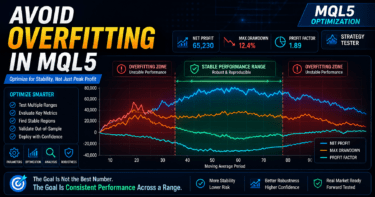
If performance collapses after changing to a nearby setting, over-optimization may be present.
In testing, do not only search for the best setting. Also check whether nearby settings avoid extreme performance breakdowns.
9. Items to Check in Forward Testing
Conclusion
In forward testing, check execution differences, wider spreads, broker differences, and stability in a VPS environment, which are hard to see in a backtest.
By running the EA under conditions close to live trading, you can check its realistic behavior.
The items to check in forward testing are as follows.
- Execution differences
- Behavior when spreads widen
- Trade frequency
- Drawdown
- Deviation from backtest results
- Broker differences
- Stability in a VPS environment
Backtests and forward tests may not match.
The main reasons are differences in spreads, execution methods, slippage, trading hours, and server environments.
9.1 Record Deviations from the Backtest
In forward testing, record the entry time, price, spread, and exit reason.
If results differ from the backtest, this makes it easier to check which condition caused the difference.
Log output is important for improving the accuracy of EA testing.
Keep necessary information not only when errors occur, but also when signals occur, during pre-order checks, and at exit.
10. Live Trading Precautions
Conclusion
Even if MT5 Strategy Tester shows good results, live performance can change because of spreads, execution delays, slippage, and differences in broker specifications.
Before live trading, you need to define risk tolerance, stop conditions, and lot management.
When running an EA in live trading, consider the following risks.
- Backtests and live trading do not match perfectly
- Performance may worsen when spreads widen
- Execution delays and slippage may occur
- Over-optimized settings tend to break in forward testing
- Logic with strong parameter dependency tends to have low repeatability
- Drawdown tolerance must be defined in advance
- EA behavior may change depending on broker specifications
- Execution conditions may differ between demo accounts and live accounts
The higher the leverage, the larger the impact of the same price movement on your funds can become.
Increasing lot size increases not only profit but also loss.
In live trading, lot size should not be decided only from backtest results. It should be based on acceptable loss and maximum drawdown.
11. Improvements and Alternatives
Conclusion
To improve the testing accuracy of Strategy Tester, combine log output, condition separation, risk-percentage-based lot calculation, and forward testing.
Improving an EA is not only about increasing profit. It is also about reducing fragile conditions.
Possible improvements include the following.
- Separate signal checks and filter checks
- Consider risk-percentage-based lot sizing, not only fixed lots
- Add a maximum spread condition
- Add a trading-hours filter
- Stop trading based on maximum consecutive losses or daily loss
- Log entry reasons and exit reasons
- Backtest across multiple periods
- Record differences between forward tests and backtests
When improving lot calculation, consider minimum lot, maximum lot, lot step, margin, acceptable risk, stop-loss distance, account balance, equity, tick value, and tick size.
A simple fixed lot is easy to implement, but it is less able to respond to changes in account size.
12. Summary
Conclusion
MT5 Strategy Tester is an essential testing environment for checking the behavior and risk of an MQL5 EA.
However, a backtest does not guarantee future profits, and you must check forward test results and live trading risks.
When using MT5 Strategy Tester, do not look only at total profit. Check maximum drawdown, number of trades, risk-reward ratio, losing streaks, and spread conditions.
In an MQL5 EA, you need to separate the roles of OnInit, OnTick, and OnDeinit and correctly handle indicator handles and CopyBuffer retrieval.
For order processing, adding OrderCheck and symbol specification checks before OrderSend makes it easier to find the cause of failures during testing.
In live trading, results may change depending on spreads, execution, broker specifications, account type, and VPS environment.
In EA testing, it is important to find weaknesses in backtesting, check repeatability with forward testing, and define operating conditions based on your risk tolerance.
FAQ
What is MT5 Strategy Tester?
MT5 Strategy Tester is a feature for testing an EA created in MQL5 against historical data. It is used to check trading logic, risk, number of trades, and drawdown.
Can I run an EA live based only on Strategy Tester results?
It is risky to judge live trading readiness from Strategy Tester results alone. Backtest results do not guarantee future profits, so you need forward testing to check execution differences and spread conditions before live trading.
Why is CopyBuffer needed in an MQL5 EA?
In MQL5, many indicator functions return a handle instead of a value. When an EA uses indicator values, it creates a handle and then retrieves buffer values with CopyBuffer.
Which metrics matter most in a backtest?
In addition to total profit and loss, maximum drawdown, number of trades, risk-reward ratio, losing streaks, and parameter dependency are important. A single metric is not enough to judge EA risk.
How can I avoid over-optimization?
To avoid over-optimization, check whether results remain stable with nearby parameter values. Split-period testing and forward testing make it easier to find settings that only fit one specific period.
Why does an order fail in Strategy Tester?
Common causes include invalid lot conditions, insufficient margin, stop-level violations, off-hours trading, and mismatched execution methods. In MQL5, using OrderCheck before OrderSend makes pre-order problems easier to find.
Can test results differ between netting and hedging accounts?
Yes. Position management can differ by account type. In a netting account, positions for the same symbol are consolidated, while a hedging account may allow multiple positions.
What should I check in forward testing?
In forward testing, check execution differences, spread widening, trade frequency, drawdown, deviation from the backtest, broker differences, and VPS stability.